
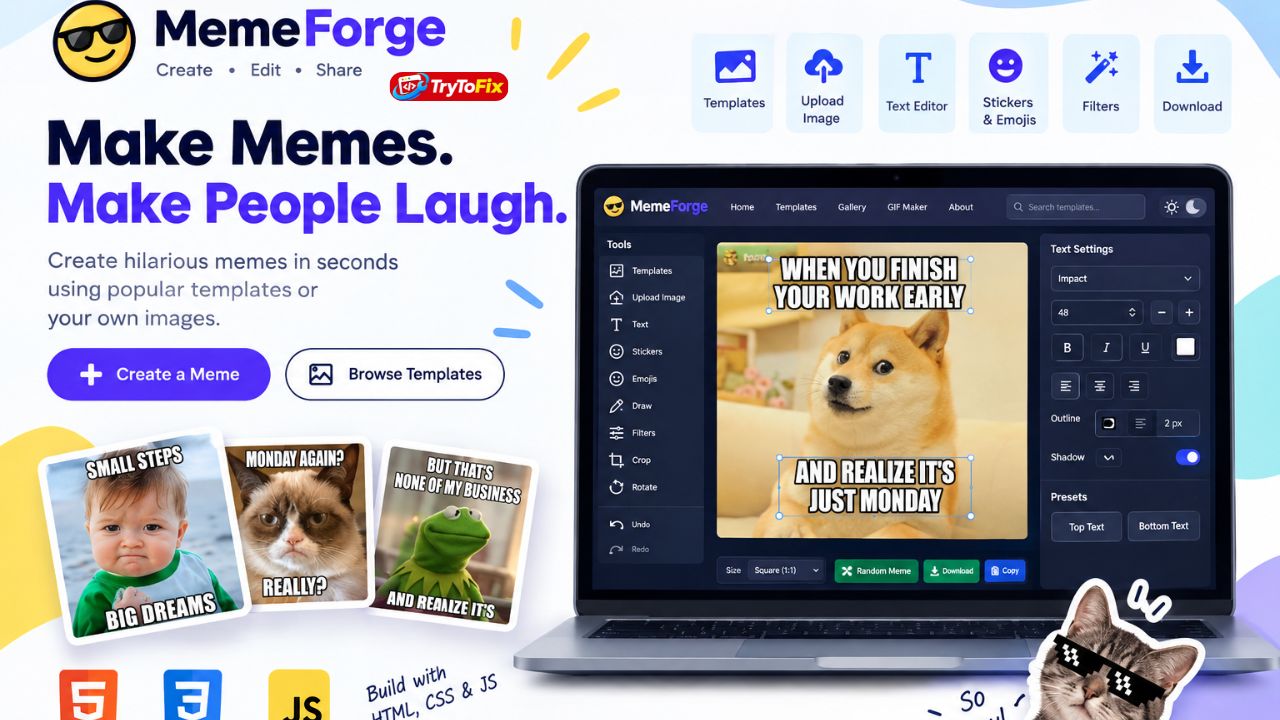

Memes have become one of the most popular forms of online entertainment and social media content. A simple image combined with the right caption can communicate an idea, reaction, or joke in just a few seconds.
If you’re a web developer, designer, student, or someone interested in building online tools, creating your own Meme Generator website can be a fun and useful project.
In this guide, you’ll find a detailed AI prompt for creating a modern, responsive, and interactive meme-making website using HTML, CSS, and vanilla JavaScript.
The prompt is designed to help an AI coding assistant generate the structure, interface, and functionality for a complete meme tool.
What Is a Meme Generator Website?
A meme generator allows users to create memes by selecting or uploading an image and adding customizable text and other elements.
A good meme website can include features such as:
- Meme template library
- Image upload
- Text editor
- Stickers
- Emojis
- Drawing tools
- Image filters
- Crop and rotate
- Drag-and-drop editing
- Meme preview
- Download functionality
- Search and categories
- Responsive mobile interface
Instead of creating every component manually from scratch, you can give an AI coding assistant a detailed prompt and use the generated code as the foundation of your project.
Complete AI Prompt for a Meme Generator Website
Copy the following prompt and paste it into your preferred AI coding tool.
Why This Prompt Works
The biggest advantage of a detailed prompt is that it gives the AI coding tool a clear understanding of both the design and technical requirements.
Instead of simply asking an AI to “make a meme generator,” the prompt defines the individual components of the website, including the template library, editor, canvas, text controls, stickers, filters, download functionality, responsive design, and accessibility.
This can make the generated project much more organized and easier to improve.
HTML, CSS, and JavaScript Are Enough to Start
You don’t necessarily need a frontend framework to build the first version of a meme generator.
HTML can handle the structure of the pages and editor.
CSS can handle the visual design, responsive layouts, buttons, cards, navigation, and animations.
JavaScript can provide the interactive functionality, including image uploading, canvas manipulation, text editing, filters, template searching, favorites, and downloading.
The HTML5 Canvas API is particularly useful for combining the uploaded image with text, stickers, drawings, and other elements before exporting the final meme.
Features You Can Add Later
Once the basic version is working, you can expand the website with more advanced functionality.
Some possibilities include:
- User accounts
- Cloud-saved memes
- Public meme profiles
- Trending memes
- Meme voting
- Comments
- Social sharing
- AI caption generation
- AI image generation
- GIF creation
- Video meme creation
- Animated text
- Meme collections
- Meme contests
- Admin dashboard
- Template management
- Analytics
- Premium features
These features would generally require a backend, database, external APIs, or additional processing.
Important Considerations Before Launch
If you plan to turn the project into a real public website, pay attention to image licensing and user-generated content.
Don’t automatically assume that every popular meme template or image can be redistributed commercially. Use assets you have permission to use, public-domain material, appropriately licensed content, or user-uploaded content subject to appropriate terms.
You should also provide clear privacy and terms pages explaining how uploaded content and other user information are handled.
For a simple personal or portfolio project, however, you can start with local images and demo assets and focus on getting the editor experience working smoothly.
Final Thoughts
A meme generator is an excellent project for practicing frontend development because it combines many different web-development concepts in one application.
You can start with a simple HTML + CSS + JavaScript interface and then gradually add features as your skills improve.
The prompt above provides a complete starting blueprint for building a responsive Meme Generator website with a modern interface, template library, image editor, text tools, stickers, filters, local storage, and download functionality.
Once the basic version is complete, you can turn it into a much larger platform by adding a backend, user accounts, community features, AI tools, and additional media-generation capabilities.
